
Billing & Subscriptions
Manage your plan, view usage, and access the billing portal.
Plan Tiers
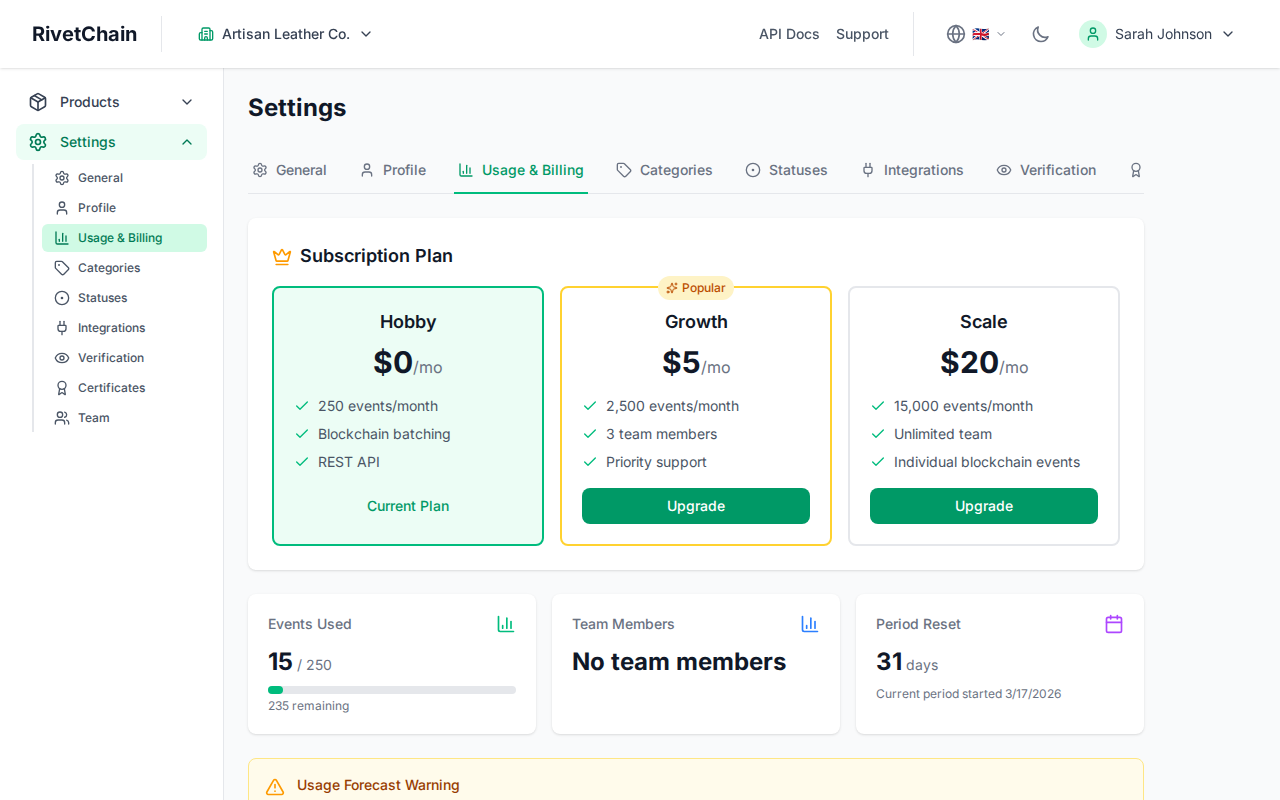
RivetChain offers three plan tiers to accommodate organizations of every size. Each tier provides a different level of access to features and usage limits.
Hobby (Free)
The Hobby plan is perfect for getting started at no cost. It includes 250 events per month, blockchain batching for products where you turn on anchoring, and REST API access. The Hobby plan is limited to the account owner with no additional team members. No credit card is required.
Growth ($5/month)
The Growth plan is designed for growing businesses that need more capacity. It includes 2,500 events per month and up to 3 team members, and lets you add your logo and an accent color to your certificates. Growth builds on everything in Hobby.
Scale ($20/month)
The Scale plan is built for organizations with high-volume needs. It includes 15,000 events per month, unlimited team members, individual (unbatched) blockchain anchoring, the certificate search widget for your website, and every certificate design option (all layouts, custom title, paper size and signature).
Usage Limits
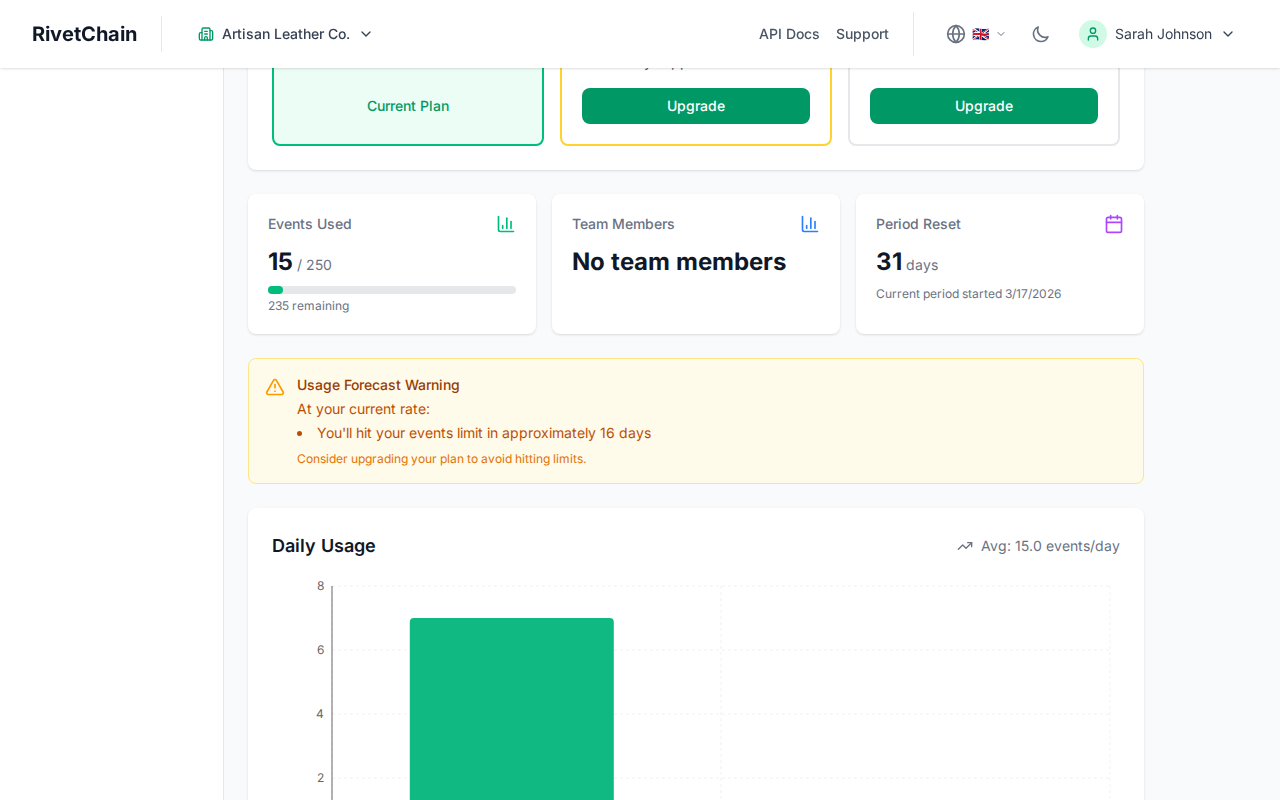
Every event you create counts toward your plan's allowance, including registering a product or a series. Limits reset at the start of each billing period. On a yearly plan, your allowance is twelve times the monthly limit, available across the whole year.
- At 80% of your allowance, we email you a warning.
- At 100%, we email you again and creating new events from the dashboard is paused until the next billing period or until you upgrade.
- Shopify orders keep being processed up to 110% of your allowance, so orders that arrive just after you reach the limit still get their product passports and certificates. Beyond 110%, new orders are skipped until the next period or until you upgrade.
There are no overage charges.
Viewing Your Current Plan and Usage
To see which plan you are on and how much of your allowance you have used, open Settings and select the Usage & Billing tab. This page shows your current plan, the billing period, and a breakdown of your event usage.
The tab also shows your daily usage over the current period and, if you are on track to reach your limit early, an estimate of when that will happen.
Upgrading or Downgrading Your Plan
The Usage & Billing tab shows a card for each plan. Each card other than your current plan has an Upgrade or Downgrade button.
- 1
Open the Usage & Billing tab
Go to Settings and select the Usage & Billing tab. Your current plan is highlighted on the plan cards.
- 2
Click "Upgrade" or "Downgrade" on the plan you want
Upgrading opens a secure Stripe Checkout page where you pay for the new plan. The new plan starts as soon as the payment goes through and replaces your previous subscription.
- 3
Confirm a downgrade
Downgrading from Scale to Growth takes effect immediately, and Stripe credits the unused part of your Scale subscription on your next invoice. Choosing Hobby cancels your paid subscription at the end of the current billing period; you keep your paid plan until then.
Billing Portal
RivetChain uses Stripe to handle website plan payments securely. From the Usage & Billing tab, click "Manage Billing" to open the Stripe billing portal. In the portal you can:
- View and download past invoices
- Update your payment method
- Change your billing email address
- Cancel your subscription
All payment information is handled directly by Stripe and is never stored on RivetChain servers.